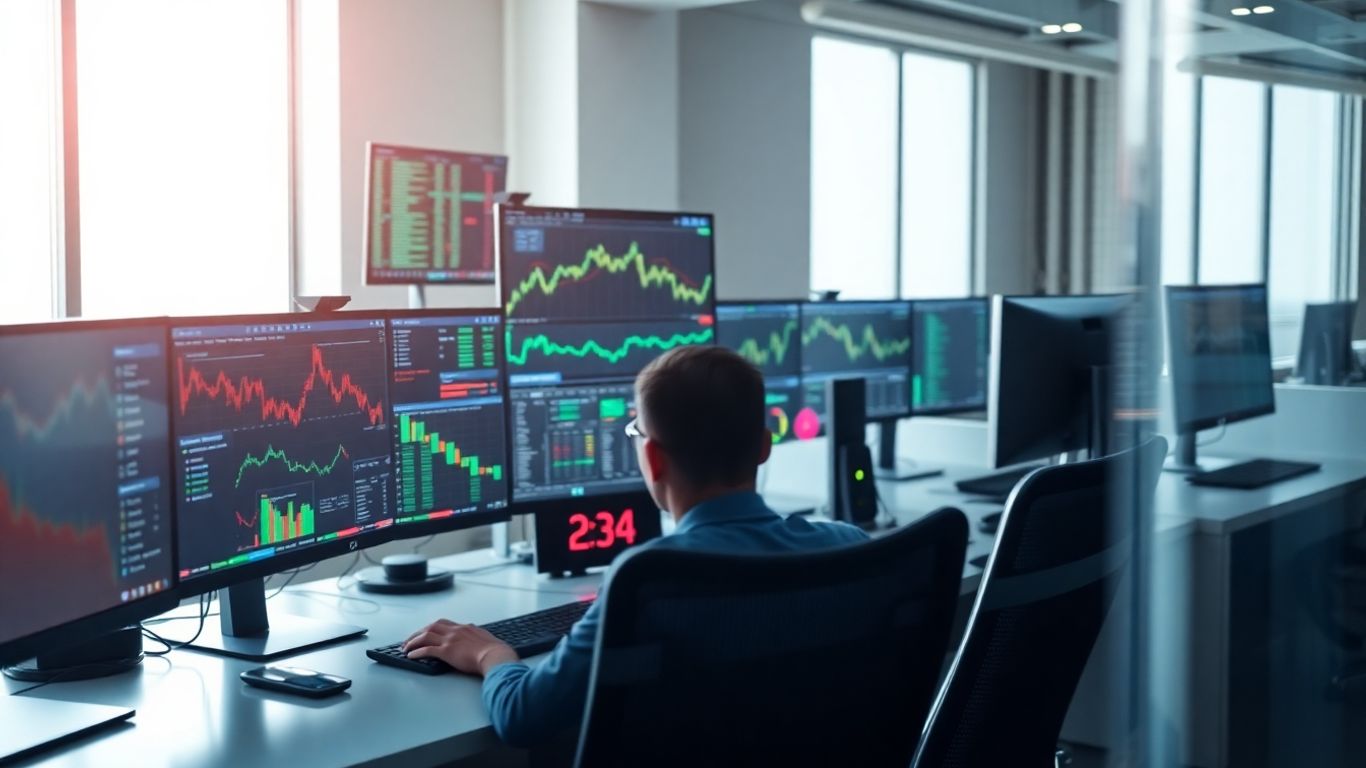
Automated futures trading is changing fast, and QuantVue is right in the middle of it all for 2025. If you've ever tried to keep your emotions in check while trading, you know how tough it can be. QuantVue tries to take that stress away. They use AI, smart indicators, and automation so traders can stick to their plans and avoid second-guessing. Whether you're trading for yourself or trying to pass a prop firm challenge, QuantVue is making it easier to set up, run, and manage trades—all with less hassle and more consistency.
Key Takeaways
- QuantVue uses AI and automation to help traders avoid emotional mistakes and stick to their strategies.
- The platform supports both retail and proprietary futures traders, making it easier for anyone to get started with automated trading.
- Custom indicators like the Moneyball Oscillator and Q_Pro are designed to spot market shifts and improve trade timing.
- QuantVue works with popular platforms like TradingView and NinjaTrader, and offers plug-and-play setup for prop firm challenges.
- Education, community support, and built-in risk management tools help users learn, stay on track, and meet prop firm requirements.
The Origins and Mission of QuantVue

Founder’s Background and Vision
QuantVue started with an idea from Michael Santucci, a former hedge fund developer who spent years seeing how tough it could be for everyday traders to keep up. His main thought was this: everyone should get access to the kind of automation and accuracy that big firms take for granted. Having worked on complex trading systems himself, Michael realized most retail and proprietary traders just don’t have the tools or time to keep up with big institutions.
There were a few reasons behind his drive:
- He saw regular traders making the same emotional mistakes over and over.
- He wanted people to focus on smart decisions, not second-guessing every move.
- It drove him nuts when tech was too complicated or too expensive for the little guy.
Michael’s main goal has been putting real algorithmic trading within reach of anyone willing to dig into the numbers, not just Wall Street pros.
Focus on Proprietary and Retail Futures Traders
QuantVue made a choice early on to support both retail traders (the solo folks at home) and those going through prop firm evaluation programs. Prop firms, in case you’re new, give traders capital to trade with if they meet certain performance standards. These programs are strict, and most traders fail because they don’t have solid systems.
QuantVue’s answer is to deliver:
- Reliable, programmable strategies anyone can deploy
- Fast execution to meet tight prop firm standards
- Consistency that helps traders stay in the game, not bust out early
If you look at how other automation platforms work, like those detailed in AI-powered trading tools, you’ll see similar emphasis on speed and risk. But QuantVue adds a unique prop firm focus by helping users clear those tricky challenge phases.
Bridging the Gap Between Manual and Automated Trading
Most traders start out clicking manually. QuantVue’s bigger mission is to move them past that, letting automation do the heavy lifting. They make it simple to:
- Connect with top platforms like TradingView and NinjaTrader
- Set up rules so the system ignores "gut instinct" and runs on stats
- Use real strategies, not just shortcuts or random signals
Here’s how QuantVue stacks up for bridging the manual/auto gap:
For anyone tired of making decisions based on nerves or hunches, switching to an automated system like QuantVue just makes sense. It gives you more time, fewer mistakes, and a shot at better odds.
AI-Driven Automation: QuantVue’s Approach to Emotional-Free Trading
Leveraging Artificial Intelligence for Consistency
Honestly, anyone who’s tried day trading futures by hand knows how quickly emotions can wreck your plans. QuantVue solves this problem by letting its AI engine do the heavy lifting. The software checks live market data nonstop, tracking momentum and spotting patterns that regular people would probably overlook. AI helps keep every trade on track with the rules you set, leaving less room for bad habits. The whole idea is to stop second-guessing and actually stick to proven strategies, instead of freezing up or chasing losses at the wrong times.
Here’s what the AI system keeps doing in the background:
- Watches dozens of data streams every second.
- Updates signals when volume or momentum shifts.
- Adjusts to market changes so it doesn’t get stuck in one playbook.
- Sends out alerts for high-probability trades so you’re never late.
If you’ve ever built a trading bot to avoid emotional mistakes, you might relate to this Python-based AI trading story, where lessons went way beyond just winning and losing trades.
Letting machines handle the routine—and sometimes boring—trading details means you’re less likely to mess things up after a long or stressful day.
Eliminating Fear and Greed from Decision Making
Ask any futures trader and they’ll tell you: Fear and greed can mess things up fast. QuantVue basically takes those out of the equation. Every buy and sell is triggered by numbers, not feelings. Because the signals are managed by the platform, there’s no last-minute panic selling or doubling down on a loss out of stubbornness. It removes those classic mistakes like cutting profits too soon or blowing up an account by betting too big on one trade.
A lot changes with this switch:
- Trades follow fixed rules every time, not guesses.
- Emotional swings have less impact on your bottom line.
- Overtrading and revenge trades go way down.
In short, QuantVue’s approach lets traders operate with the kind of discipline you only get from programmed routines—not the kind of discipline you wish you had after a bad day.
Continuous Market Data Analysis and Signal Generation
It sounds obvious, but humans get tired. Machines don’t. QuantVue never stops checking the futures market, looking for setups that line up with its programmed logic. This constant scanning means more trade opportunities, and less chance of missing that one move while you’re getting coffee. As soon as the system sees the right combination of volume, price, or momentum, it pushes a trade signal. There’s no waiting, no hesitation.
Here’s a look at how this constant automation changes futures trading:
Staying ahead in futures now means having a system that doesn’t sleep, doesn’t get distracted, and doesn’t make emotional decisions. QuantVue’s AI-driven engine fits that bill, making automation less about hype and more about results you can actually measure.
QuantVue Trading Indicators and Their Impact on Futures Performance
QuantVue has built a whole lineup of trading indicators directly aimed at making futures trading less stressful, more consistent, and, honestly, a lot smarter. From the very start, QuantVue set out to make sense of the market's constant ups and downs, turning what used to be mainly guesswork into structured, rule-based action. The tools they’ve rolled out handle momentum, trends, and volume shifts all at once, with a level of speed and exactness that really stands out in today's automated world. If you ever wondered what AI, data, and user-friendly tech would look like if jammed into one platform, this is it.
Let’s dig into some of their headline indicators that, as QuantVue leads in automated futures trading, are helping both newbies and seasoned prop traders keep up with the unpredictable futures market.
Moneyball Oscillator for Momentum Shifts
The Moneyball Oscillator does exactly what it says on the tin—it watches those sudden surges of market momentum so you can spot reversals before the pack. It works by weighing both price and volume to flag when something significant is changing beneath the surface. The way it signals divergence is super helpful, alerting you to potential entries and exits right before major moves begin.
Traders leaning on the Moneyball Oscillator can catch trend changes fast, instead of getting caught on the wrong side.
Common uses:
- Identify early reversal signals
- Avoid late entries during exhausted moves
- Reduce false breakouts by confirming with volume
Consistent use of momentum analysis can help reduce the overwhelming noise that so often leads to overtrading.
Q_Pro TradingView Indicator Features
Now, TradingView charts are a staple for many traders, and QuantVue’s Q_Pro indicator pulls together several proprietary algorithms in one overlay—momentum filters, volatility bands, and volume-based alerts stack up to create a clear picture. What's really handy is being able to adjust sensitivity and timeframes. You can change settings to suit your own style or market's character, rather than getting forced into a one-size-fits-all mold.
Key functions:
- Signal aggregation from multiple metrics
- Customizable alert filters for noise reduction
- Compatibility across desktop and mobile setups
Qcloud and Cloud-Based Trend Identification
Qcloud takes all that real-time market data and spots dominant trends, even when things look indecisive. It plots cloud-colored overlays so you’re not just guessing if a trend is holding up or fading out. You get an at-a-glance feel for bigger moves, and it doesn’t really matter if you’re day trading or holding for the long haul—cloud trends stay adaptive.
Here’s what Qcloud brings:
- Distinguishes between bullish, bearish, and neutral structure
- Adaptable to all major futures markets
- Acts as a bias filter for all other entry signals
Effective Integration with NinjaTrader
Integration isn’t just a buzzword, it’s what keeps your trades running without hiccups. QuantVue indicators plug right into NinjaTrader so you can trigger automated trades, set up rule-based alerts, and manage your whole strategy inside one familiar platform. Real-time alerts and automated order-routing are baked in, so latency and manual delay just don't get in the way anymore.
If you want smooth execution from chart to live trade, QuantVue and NinjaTrader are a hard combo to beat.
Adapting technology to your trading style can give you an actual edge, not just keep you above water.
Automated Trading Suite: QuantVue’s End-to-End Execution

QuantVue’s Automated Trading Suite (ATS) is where the real action happens for futures traders who want every part of the process—from spotting signals to firing orders—handled swiftly and reliably. It’s the kind of automation that turns manual chart-checking into a thing of the past, giving traders the technical edge they’ve always wanted. There’s a lot under the hood, so let's break down each part.
Plug-and-Play Automation for Prop Firms
Most prop firm traders know the pain of dealing with endless setup and constant worry about platform integration. QuantVue flips that on its head with out-of-the-box templates that connect instantly to popular prop firm accounts. Here’s what traders usually love about it:
- No coding or special setup—just log in and select your preferred strategy.
- Supports multiple prop firms, letting users run several evaluations at once.
- Automatic trade execution and order routing to align perfectly with prop firm rules.
Exclusive Python Strategies and Customization
One big reason serious traders stick around: Python strategies. The ATS lets users pick from both ready-made strategies and their own custom scripts. Python means quick edits and flexible backtesting:
- Build and upload your own code for personalized logic.
- Choose from trusted strategies within the QuantVue community.
- Tweak parameters fast, with straightforward options right in the dashboard.
Drawdown Controls and Compliance Mechanisms
Passing prop firm challenges isn’t just about finding winning trades. It’s also about keeping risk in check. The ATS steps in with automatic risk management:
- Daily, weekly, and trailing drawdown tracking.
- Auto-soft stop: trading pauses if a set loss limit is hit.
- Built-in compliance checks to make sure no trade breaks prop firm rules.
With the system watching your limits for you, it’s a lot easier to trade confidently without that sinking feeling you’ve overlooked some rule.
Achieving Ultra-Low Latency Order Execution
Speed makes a difference, especially during fast market moves. QuantVue’s ATS is built to send orders in under 40 milliseconds, which is faster than a blink. Here’s how it keeps latency low:
- Direct platform APIs (TradingView, NinjaTrader, Tradovate, more).
- Optimized data feeds for fast market info.
- Minimal “middleman” activity—orders go straight from signal to execution.
Bottom line: With QuantVue’s ATS, traders are trading faster and smarter, with less stress and more time to focus on big-picture strategy. It’s not just about automation—it’s about turning the process into something reliable, predictable, and simple.
Developing and Customizing Strategies with QuantVue
One of the things that makes QuantVue unique, according to expert training offered here, is how it gives both new and experienced traders full flexibility with their strategies. Building and tweaking algorithms is very practical: you don't need to be a professional coder to create something effective, but if you are, you can really get in the weeds.
Building Custom Python Algorithms
You get a Python framework that lets you define everything—entry criteria, risk settings, exit conditions. This setup means you really own your strategy. There's a set of templates and some straightforward API docs, so it’s not just raw trial and error.
Customize your strategy logic and indicators to align trades with your personal insights.
Here’s what’s typical:
- Define entries and exits (trend breaks, crossovers, etc.)
- Set risk rules: stop-loss, position sizing
- Add or stack QuantVue indicators for signals
That’s the skeleton—how much you layer on is really up to your ambition (and patience).
Selecting and Deploying Strategy Templates
Instead of starting with a blank slate, you can preview and test pre-built templates. Swap in your own preferences, tweak parameters, and you’re set. This lowers the barrier if you just want to get something running fast:
- Choose from templates built by QuantVue or other traders
- Tweak variables (e.g., timeframes, indicator sensitivity)
- Test in simulation mode before risking real capital
Backtesting and Live Performance Evaluation
No one wants to run blind, so QuantVue includes robust backtesting tools. Past market data is replayed, and you see how your ideas would’ve held up. Then, when you’re confident, switch over to live mode.
A quick breakdown:
- Load historical data and simulate trades
- Review stats: win rate, drawdown, profit factor
- Adjust code or settings as needed, then forward-test in real time
Even when backtests look great, keep paper-trading for a while—markets will always surprise you.
With all these tools, traders can tinker endlessly or just plug in a winning system and let it run. This whole hands-on loop is really what sets QuantVue apart if you’re the type who likes to experiment and refine on a daily basis.
QuantVue Platform Integration and Ecosystem
Putting all the pieces together isn’t always easy when it comes to algorithmic trading. QuantVue manages to tie up all the loose ends by making sure that the whole system can play nicely with the most-used platforms in futures trading. Let’s break down how this integration really works and why it matters for traders who want efficiency, quick setup, and a few less headaches.
Seamless Compatibility with Trading Platforms
- QuantVue’s core indicators and trading strategies are designed to plug directly into top platforms like TradingView, NinjaTrader, and Sierra Chart.
- Python-based logic allows the strategies to work across different apps with minimal rewrites.
- If you’re used to manual charting or discretionary trading, you can still use your favorite tools, just now with automation doing the heavy lifting behind the scenes.
Compatibility at a Glance
API Connectivity with Prop Firms and Brokers
QuantVue’s Automated Trading Suite (ATS) is fairly straightforward here—it plugs into most major proprietary firms and brokers using secure API access.
- API credential connection means no more manual order entry—signals are routed automatically.
- Daily drawdown monitoring and order batching are automated, helping stick to prop firm requirements.
- ATS handles login and compliance, so users don’t have to memorize challenge rules or worry about breaking them by accident.
Onboarding and Support for New Users
Getting started with new software often feels like jumping into cold water, but QuantVue’s onboarding is structured to make sure traders don’t flounder in the deep end.
- Step-by-step guides walk users through connecting platforms and inputting API keys.
- Pre-configured templates and strategy layouts are provided for the most common trading setups.
- Access to a large community and support Discord makes it easy to get quick help, share settings, or troubleshoot issues.
QuantVue’s team keeps the transition simple—no need to tinker endlessly with settings or code if you don’t want to. Whether you’re going 100% automated or testing on a chart, the support ecosystem smooths out the rough spots and cuts down on onboarding stress.
The bottom line? QuantVue’s integration ecosystem lets traders focus on the markets—not on wrestling with technology.
Community and Educational Resources for QuantVue Traders
With QuantVue, you get more than just trading software—you’re joining a group of real people out to make trading automation a little less lonely, and maybe a lot less confusing. This is one of those rare platforms where learning is just as important as results.
Weekly Coaching and Expert Guidance
Never really sure if you’re using a trade tool right, or what all those oscillators actually do? QuantVue’s weekly coaching sessions help with real answers, not just shiny brochures. Here’s what you can expect:
- Live walkthroughs of current strategies and chart set-ups
- Q&A sections after every session, so you’re not left behind
- Sessions recorded and archived, in case life gets in the way
If you’re someone who learns by asking questions (maybe awkwardly or too many at once—that’s fine), these live calls hit the spot.
You don’t need years of experience to follow along; just some curiosity and maybe a notepad, because they do throw in some surprising tips.
Interactive Discord Community
Some trading communities feel a bit empty or, worse, judgmental. QuantVue’s Discord actually has momentum of its own. With thousands of members, it’s got a channel for just about everything—from tough indicator tweaks to trading memes (and yes, some dad jokes):
- Get feedback on your trade setups without the eye-rolls
- Share scripts, code tips, or algorithm fails (no shame)
- Direct chat with QuantVue team members and coders if you really hit a wall
People actually celebrate wins—big or small. Blowing accounts? Share that too; someone’s probably been there.
In-Depth Tutorials and Resource Library
Let’s be honest: most help sections are a wall of outdated text. QuantVue’s library has guides, recorded webinars, and super short how-tos wrapped in one easy section. These cover several areas:
- Step-by-step installation and linking to NinjaTrader, TradingView, and more
- Backtesting, tuning, and launching strategies from scratch
- Risk settings and drawdown controls explained in plain terms
If you can’t find what you need, there’s usually someone in Discord who’ll point you in the right direction—sometimes faster than your morning coffee.
So, you’re not just left staring at a screen wondering where everyone else learned this stuff. With QuantVue, the road from confused to comfortable is paved with real people and answers, not marketing fluff.
Risk Management and Success in Proprietary Trading Challenges
If you've ever faced the daily tension of hitting loss limits during a prop trading challenge, you know risk management isn't just about numbers—it's about survival. QuantVue handles this by automating rules that might otherwise be easy to forget when stress takes over and a string of losing trades creeps up.
Automated Drawdown and Position Sizing Controls
Sticking to strict loss caps is the backbone of long-term trading. QuantVue's suite puts a hard stop to emotional choices, locking in the following key controls:
- Session-based drawdown detection with instant shutdown on breach
- Per-trade stop-loss and trailing stops set in advance
- Automated position sizing based on account equity, not hunches
- Dynamic exposure limits to adjust as volatility changes
Here's a quick overview of how automation tackles typical risk settings:
The real edge comes from turning risk habits into unbreakable rules—freeing yourself from the trap of justifying that 'one more try' after a bad trading session.
Adhering to Challenge Rules and Risk Limits
Every proprietary firm has its own twists on risk—sometimes the rules read like tax forms. QuantVue can be set up to:
- Mirror exact daily, weekly, and max trailing drawdown requirements
- Track position limits across asset classes
- Detect rule breaches and pause the strategy (no debate)
This means you can customize your setup fast when you switch firms or contests, something that helps prevent slipups.
Optimizing for Consistent Prop Firm Evaluations
Success at prop firms is about consistent performance. To stack the odds your way:
- Test everything in simulation before risking real capital
- Use historic market data to calibrate stop losses and profit targets
- Mix automated signals with discretionary checks if you prefer some human input
Automated trading platforms like Lune Auto Trader show that instant execution and strict error reduction reduce the risk of blowing an account during evaluations.
By making risk management systematic, QuantVue takes the pressure off traders, letting you focus on strategy rather than panicking about rules or warnings from the prop firm dashboard—just another step towards turning trading into a repeatable process, not a gamble.
Conclusion
So, after looking at everything QuantVue brings to the table, it’s clear the platform is changing how people approach automated futures trading. With its mix of AI-driven tools, fast execution, and easy setup, it’s no wonder more traders are giving it a shot—especially those trying to pass prop firm challenges. The community and support resources are a nice bonus, too. If you’re tired of second-guessing your trades or just want something that handles the heavy lifting, QuantVue might be worth checking out. At the end of the day, it’s about finding what works for you, and for a lot of folks in 2025, this could be it.
Frequently Asked Questions
What is QuantVue and how does it help with futures trading?
QuantVue is a trading platform that uses computer programs and artificial intelligence to make trading futures easier and more consistent. It helps traders by removing emotions from decisions and making trades based on rules and data instead of guesses or feelings.
Do I need to know how to code to use QuantVue?
No, you do not need to be a programmer to use QuantVue. The platform has ready-to-use strategies and templates. However, if you want to make your own custom strategies, you can use Python, which is a simple programming language.
Which trading platforms work with QuantVue?
QuantVue works with popular trading platforms like TradingView, NinjaTrader, and Sierra Chart. This means you can use its tools and strategies on the platforms you might already know.
How does QuantVue help me manage risk when trading?
QuantVue has built-in tools that control how much money you risk on each trade. It can set limits so you don’t lose too much, and it helps you follow the rules if you are trading for a prop firm challenge.
What kind of support and education does QuantVue offer?
QuantVue offers weekly coaching, a big online community on Discord, and lots of simple guides and video tutorials. This support helps both new and experienced traders learn how to use the platform and improve their trading skills.
Is QuantVue good for passing prop firm challenges?
Yes, QuantVue is made to help traders pass prop firm challenges. It has special settings to follow the rules of these challenges, like drawdown limits and position sizing, making it easier to stay on track and succeed.