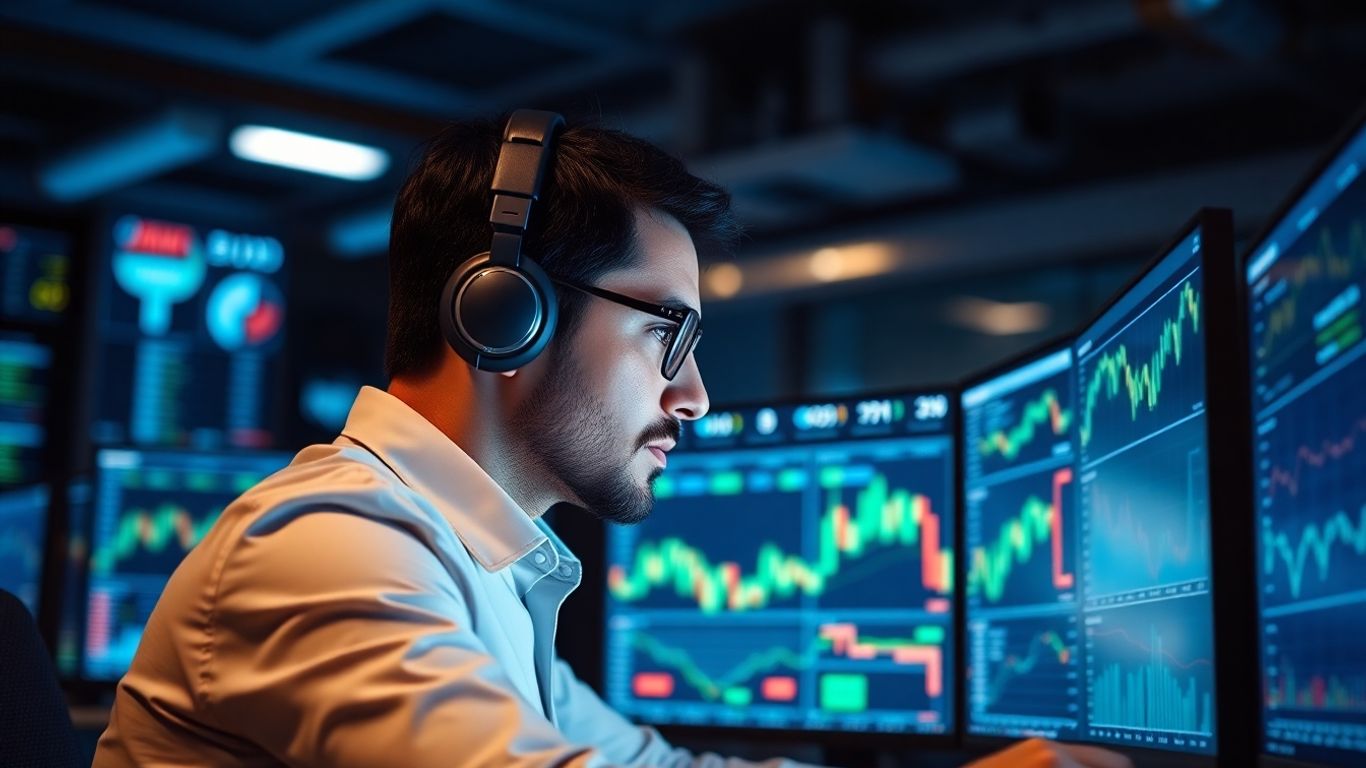
Trying to keep up with the markets in 2025 can feel like chasing a moving target. That’s where an AI TradingView indicator comes in. These tools are changing the way people look at charts, making technical analysis more accessible and, honestly, a lot less stressful. You don’t have to be a coding genius or a market wizard to get started. With a few clicks, you can add AI-driven signals to your charts, get real-time alerts, and even test out strategies before risking a single dollar. If you’re tired of guessing and want something that helps you see the bigger picture, using an AI TradingView indicator might be the smartest move you make this year.
Key Takeaways
- AI TradingView indicators can spot patterns and trends faster than most people can by hand.
- Setting up these indicators is usually simple, even if you’re not a tech expert.
- You can use AI-powered tools on all sorts of markets—stocks, crypto, forex, and more.
- Backtesting with AI indicators helps you see what works before you risk real money.
- It’s important to use AI as a helper, not a replacement for your own judgment.
Understanding the Role of AI TradingView Indicators in Modern Markets
How Artificial Intelligence Transforms Technical Analysis
Markets in 2025 aren’t what they were a decade ago. Millions of data points move around every second, and new types of information—like news sentiment or social buzz—matter just as much as price and volume. AI indicators on TradingView can sift through this chaos to spot repeating patterns, trend shifts, and even subtle changes we simply can't see in real time.
Here's how AI changes the game:
- Pattern identification: Scans thousands of charts at once, finding setups way faster than humans.
- Adaptive strategies: Machine learning can improve itself with new data, so signals get sharper over time.
- Nonstop monitoring: AI doesn’t take breaks or get bored, so it constantly watches the market for new information.
With AI, even those just getting started can tap into trading tools that were once only for big institutions or algorithmic pros.
The Evolution of Technical Indicators on TradingView
Technical indicators have always been at the core of TradingView. In the early days, most traders stuck with old standbys like MACD or RSI. Now, AI algorithms are rewriting what these tools can do, thanks to platforms allowing custom scripts and collaborative sharing.
These days, you can find AI-enhanced versions of classic indicators that:
- Pull in outside data (like economic news or tweet volumes)
- Learn from recent price action and adapt their signals
- Predict possible breakouts or reversals before they hit the mainstream
TradingView stands out for its open scripting options, and its followers actively code, test, and refine new AI-powered strategies. If you're curious about how traders are building and sharing smarter indicators, the community library is a great example of crowdsourced innovation—making it possible for anyone to experiment with the latest methods, not just the data scientists.
Benefits of AI-Driven Market Insights
It's easy to wonder: Does using AI really matter for most traders? The answer, for many, is yes. AI indicators provide some real perks:
- Alerts can adapt to volatility, keeping you on your toes.
- Backtests show how strategies could have performed, supporting smarter decisions.
- Tools like those from Lune Trading's AI-powered indicators help automate, alert, and even manage risk for multiple assets and accounts.
So, the main takeaway? AI isn’t about magic or total automation—it’s about giving you new perspectives so you can trade with more confidence, whether you’re full-time or just checking the charts after work.
Core Features of AI TradingView Indicators for 2025
AI-Powered Signal Generation and Accuracy
AI TradingView indicators have started to push the envelope in signal generation. Instead of churning out generic buy or sell alerts, they sift through huge piles of historical and real-time data. The result? Trade signals backed by adaptive algorithms that learn and fine-tune over time. Some indicators even assign confidence levels to their signals, which helps you decide whether the signal is worth acting on right away or if it’s shaky. Accuracy has gone up, especially in messy markets, since these AI-driven tools can spot patterns and filter out a lot of the market noise that tricks traditional indicators.
A few of the regular features you’ll likely notice with AI signals:
- Prediction score or probability shown with every alert
- Automatic adjustment to different timeframes or volatility conditions
- Extra filters layered on classic indicators (like moving averages or RSI)
The key difference these days is that the signals aren’t just numbers—they’ve got a built-in sense of probability. That tends to boost confidence, but you still want to double-check against your own logic.
Integration with Popular Technical Indicators
One of the coolest things about AI on TradingView: it doesn’t throw out the tools you already know. Instead, AI indicators often build on top of time-tested favorites—like MACD, RSI, or Bollinger Bands. You'll see overlays or secondary charts that show the regular indicator plus an AI-derived signal. This allows for a blended approach; if the AI signal and the classic indicator line up, that’s a stronger case for action.
For most traders, this means you can:
- Use your go-to indicators, but add AI for more nuanced entries and exits
- Stack multiple technical indicators with AI weighting the results
- Run hybrid strategies (AI + classic) on the same chart or watchlist
Real-Time Data Processing and Alerts
Speed makes all the difference when it comes to fast-moving markets. AI TradingView indicators for 2025 are built to process live data from several sources at once. No more lagging signals or delayed alerts—you can get notifications the moment a pattern or threshold is detected. Most platforms let you tailor alerts to your needs, so you aren’t buried in unnecessary pings.
Here’s what to expect from their real-time features:
- Automatic pattern recognition as new candles print
- 24/7 market scanning (especially for crypto and forex)
- Customizable notification settings for mobile and desktop
You’ll want to dial in your alert settings. Too many, and you’ll tune out; too few, and you could miss something important.
Setting Up and Customizing Your AI TradingView Indicator
Getting started with an AI TradingView indicator might feel overwhelming the first time, but after setting things up once, it’s honestly pretty repeatable. AI can trim hours of manual work down to a few clicks and edits.
Using Pine Script to Develop AI Strategies
So, here’s the deal — most AI-powered indicators on TradingView are either built with or work alongside Pine Script. This scripting language lets you mold how the indicator functions.
- Start by figuring out what you want your strategy to do: for example, signal buy/sell entries, alert you about trend changes, or maybe just keep track of volatility.
- Open the Pine Script editor on TradingView. You can use code you write yourself or even work with code snippets generated by an AI assistant like ChatGPT or Claude.
- Plug your code into the editor, check for errors, then add it to your chart to see it run live.
Personalization in scripting is where you can add your unique ideas, fine-tuning how the AI reacts to different market moves.
Selecting and Installing AI Indicators from the Community
If coding isn’t your thing (or you just want to see what others have made), TradingView’s community scripts are a huge shortcut:
- Go to the ‘Indicators’ tab and search keywords like "AI" or "machine learning." You’ll find both free and premium options.
- Read through the script descriptions — many will say if they use pattern detection, predictive modeling, or some specialized technique.
- Click ‘Add to Chart.’ That’s it. Most community-made indicators are plug-and-play, and some even let you tweak inputs without coding anything.
Personalizing Alerts and Visual Overlays
What good is an indicator if it doesn’t tell you when something important happens? Customizing your alerts is just as important as the signals themselves.
- Set alerts for key events: entries, exits, reversals, or even custom conditions you define.
- Adjust visual overlays, like colored trend lines, zones, or arrows right on your chart to make signals pop out.
- Turn on push notifications, so even if you’re away from your laptop, you don’t miss critical moves.
Time spent setting up your alerts and visuals isn’t wasted — one missed trade because you forgot an alert can leave you annoyed all week.
Honestly? It pays off to invest a bit of time in setup, even if you’re just trialing a new AI indicator. You’ll see what works, what feels confusing, and you’ll quickly spot which setups give you the most clarity when those markets get noisy.
AI TradingView Indicator for Different Asset Classes
AI indicators on TradingView in 2025 are kind of like your market assistant. Each asset class—stocks, crypto, and forex—has its own personality. Let’s break down how AI adapts to each one.
Stocks: Enhanced Pattern Recognition
AI is now scanning hundreds of stocks a second, picking up on patterns most folks wouldn’t spot in an afternoon. For stocks, this means:
- AI can flag breakouts and breakdowns before the crowd notices
- It tracks unusual volume, signaling something big could be brewing
- It connects price action to broad market sentiment, even picking up on chatter on social media or financial news
Sometimes, AI will highlight a small stock most people overlook, just because the data suggests a brewing shift—not based on hype but hard numbers that add up.
Crypto: Volatility and Trend Analysis
Crypto markets never sleep, and the price swings are wild sometimes. AI helps here by:
- Analyzing minute-by-minute price movements for instant trend changes
- Adapting its indicators to handle sudden volatility spikes (think Bitcoin at 2am)
- Providing alerts when current momentum shifts unusually quickly
Typical workflow for AI crypto analysis:
- Monitor exchange order books for imbalances
- Check for rapid volume shifts as traders react to news
- Update technical overlays (like AI-powered RSI or moving averages) on each new tick
Forex: Adaptive Risk Management
Currencies trade 24/5 across global sessions, and even a political tweet can send them swinging. AI helps forex traders by:
- Adjusting risk levels in real-time depending on market conditions
- Suggesting position sizes tailored to current volatility
- Alerting you to macroeconomic news events that could impact a currency pair
If you trade multiple asset classes, using AI-powered indicators can help you keep your strategies consistent—while fine-tuning them for each market’s unique quirks.
Backtesting and Optimizing Strategies with AI Indicators

AI TradingView indicators in 2025 make it really easy to put your ideas to the test, but the process is never quite as simple as clicking "run" and hoping for magic. Let’s break down what you actually have to do to make sure your trading model is worth trusting in live markets.
Running Historical Tests for Predictive Power
Before putting real money on the line, you’ll want to see how your AI strategy would have worked in the past. This is called backtesting, and TradingView’s built-in tools make it pretty painless. You just load up your chosen asset, drop your AI-powered indicator onto the chart, and use the strategy tester to see how your rules would have played out historically.
- Pick a relevant time frame—day traders and swing traders might reach different conclusions using the same model, depending on which window of data they choose.
- Make sure your data covers both boring and wild market periods. AI indicators sometimes shine in volatility, or completely lose it, so you’ll want to see both.
- Record metrics like win rate, total return, max drawdown, and average trade length.
Backtesting shows how your ideas stack up under lots of market conditions, but nothing guarantees future profit.
Example Historical Backtest Metrics Table
Adjusting Settings for Maximum Performance
Tweaking your AI indicator is the fun part, but also where mistakes happen. Don’t just crank every setting for the highest backtest result—this leads to overfitting, where your system is too tailored to the past and might flop in the future.
You’ll want to adjust parameters like:
- Signal sensitivity (how early or late trades trigger)
- Risk controls (max loss per trade, stop-outs)
- Indicator weighting (how much importance to give each data input)
And every time you change something, run your tests again. Jot down the results. Sometimes the "worse" version in testing is safer and steadier when new data rolls in.
Tightening your risk controls, even at the expense of total profit, can help keep your trading steady when things get rough.
Interpreting Backtest Results
Don’t just look for the biggest number on your report. Instead, learn what the results are actually telling you. Did your strategy crumble during market crashes? Did it struggle in sideways action? Or maybe it did really well, but only made a handful of trades—hard to trust that going forward.
When reviewing results:
- Look for consistency more than one-off blockbuster trades.
- Compare your hit rate with risk per trade. Sometimes a lower win rate can actually make more profit if your wins are larger than your losses.
- Watch out for signs of overfitting, like perfect performance on your test but immediate drops once you go live.
Summary: Putting in the effort to backtest thoroughly, making smart tweaks rather than chasing perfect results, and learning from your report’s weak spots—that’s how you get an AI TradingView indicator that actually works in real-world trading.
Risk Management and Decision Support with AI TradingView

Keeping your money safe and making informed choices has never mattered more, especially with fast-moving and unpredictable financial markets.
Dynamic Position Sizing Based on Market Volatility
AI-powered indicators on TradingView aren't just about spotting buy or sell opportunities—they also watch market volatility and help scale your positions. When things get turbulent, AI can suggest slimming down your trades. When the market calms, it might let you grow your exposure. This helps you avoid overcommitting during wild swings, protecting your investment from sudden drops or spikes.
Here's how AI systems adjust your trade sizes:
- Evaluate volatility in real time (using ATR, Bollinger Bands, etc.)
- Analyze your current capital and risk profile
- Recommend a size for your next trade to keep risk within your limits
The main thing? Letting AI choose size takes out second-guessing and emotion, so you don’t panic buy or sell at the worst time.
Automated Stop-Losses and Risk Alerts
Stop-loss orders have always existed, but AI brings a new level of quick decision-making. AI-based indicators can place and modify stop-losses automatically, using live calculations—not just set percentages. For example, the bot might tighten stops as volatility spikes, or widen them if a trade is trending in your favor. You get instant alerts for major moves, or if risk crosses your defined maximum, reducing the chances of spiraling losses.
Important automated risk control features:
- Dynamic stop-loss adjustments
- Real-time risk exposure updates
- Instant push alerts for major news or moves
Even if you’re not at your desk, automated alerts and stop-losses mean you won’t wake up to an unexpected disaster in your portfolio.
Portfolio Diversification Monitoring
It’s easy to think you’re spreading your risk, but assets that seem unrelated can suddenly start moving together. AI programs can monitor correlations across your holdings, just like AI-driven satellite insights interpret unpredictable real-world shifts. If too many of your investments sync up, the AI instantly flags it. Now you can rebalance before a single event triggers a loss across your entire account.
Ways AI helps keep your portfolio balanced:
- Tracks the correlation between each asset you hold
- Warns if your positions start moving in the same direction
- Suggests diversification changes to lower your overall risk
AI isn’t flawless, but it’s like installing an extra layer of oversight—never tired or biased—that watches both your risk and your potential gains.
Common Pitfalls When Using AI TradingView Indicators
AI TradingView indicators are catching on fast, but sometimes folks forget they aren't magic. Before you let the excitement get the best of you, let’s run through some common mistakes traders make when using these tools.
Overreliance on Automated Signals
Here’s the thing: putting all your trust in AI-generated alerts can get you into trouble. It might sound great to let the indicator make your decisions, but markets shift, and even great algorithms will sometimes fail. No single AI tool gets it right every time. It’s smart to use signals as guidance, but your own judgment still matters—don’t go hands-free with your money.
Ways to balance:
- Double-check signals with simple chart patterns or volume.
- Have your own exit rules, not just what the bot says.
- Wait for confirmation, not just the first ding from an indicator.
Importance of Quality Data Inputs
Bad data in means bad decisions out. Period. If your AI model is reading outdated, flawed, or incomplete info, it can spit out totally misleading signals—no matter how clever the code is. Make sure your data feed is reliable and your sources are regularly updated. If your script gets data from a questionable place, it might trade based on noise instead of real trends.
Key causes of poor data:
- Slow or spotty internet connection
- Inconsistent price feeds from different exchanges
- Old data files or improper timeframes
Balancing AI Insights with Human Judgment
AI’s fast, but sometimes naively optimistic. Some traders get so impressed with smart descriptions and signal accuracy that they shut off their own brains. That’s a bad habit. Mixing human logic with algorithmic output gives you better odds. Ask yourself: Would I make this trade if the AI weren’t telling me to?
A few tips for staying sharp:
- Review the indicator’s reasoning, not just the results.
- Adjust your position size if you feel uncertain.
- Check in with other research or news—sometimes AI can’t see everything humans can.
Remember, AI indicators are powerful sidekicks. But it’s up to you to stay in the driver’s seat, spot-check results, and avoid handing over all control just because the tech looks impressive this year.
Conclusion
So, that’s pretty much the rundown on using an AI TradingView indicator in 2025. Honestly, it’s a lot easier than it sounds once you get the hang of it. AI tools aren’t magic, but they do take a lot of the guesswork out of technical analysis. You still need to pay attention to your own strategy and risk, but having AI-powered signals and alerts can save you time and maybe even help you spot things you’d miss on your own. Whether you’re just starting out or you’ve been trading for years, these indicators can fit right into your routine. Give them a try, see what works for you, and remember—no tool is perfect, but the right one can make your trading life a whole lot smoother.
Frequently Asked Questions
What is an AI TradingView indicator?
An AI TradingView indicator is a tool that uses artificial intelligence to study market data, spot patterns, and give trading signals. It helps traders make smarter choices by using advanced technology to find trends and possible buy or sell points.
How do I add an AI indicator to my TradingView charts?
To add an AI indicator, go to the TradingView chart, click on 'Indicators,' and search for the AI indicator you want. If it’s from the community, you might need to click 'Add to Favorite Scripts' first. Then, just click on the indicator to add it to your chart.
Can I use AI indicators for any type of asset, like stocks or crypto?
Yes, you can use AI indicators on different types of assets, including stocks, crypto, and forex. These tools are made to work with all kinds of markets, and they adjust to different trading styles and market behaviors.
Do I need to know how to code to use AI indicators on TradingView?
No, you don’t need to know how to code to use most AI indicators. Many are ready to use and can be added with just a few clicks. But if you want to create your own or change an existing one, learning some Pine Script can help.
Are AI TradingView indicators always right?
No, AI indicators are not perfect. They can help you spot good opportunities, but they can also make mistakes. It’s important to use them as a guide and not rely only on them. Always double-check with other analysis and your own judgment.
Is it free to use AI indicators on TradingView?
Some AI indicators are free, while others are part of paid plans or special communities. TradingView offers both free and premium indicators, so you can start with the free ones and upgrade later if you need more features.